Blogger news

Showing posts with label Audio Editor. Show all posts

Wednesday, March 4, 2015

အသံထြက္ေကာင္းေစတယ္ DFX Audio Enhancer 11.400 With Key Full

အသံ တိုးေနတဲ႔ ကြန္ပ်ဴ တာေတြအတြက္ အသံုးျပဳႏိုင္ပါတယ္။ အသံထြက္ေကာင္းေစတဲ႔အျပင္ 3D Surround Sound ကေန 5.1/7.1 Surround Sound အထိ Support လုပ္ေပးပါတယ္... ကြအရမ္းကို ေကာင္းမြန္ျပီး ေပါ့ပါးတဲ႔ Software ေလးပါေနာက္ဆံုး Update Version ကို ေအာက္မွာ ေဒါင္းယူႏိုင္ၾကပါျပီ..။Full ျဖစ္ရန္အတြက္ေတာ့ Keygen, patch ေလးကိုထည့္ေပး ထားပါတယ္အားလံုးအဆင္ေျပပါေစဗ်ာ။

 DFX Audio Enhancer dramatically improves the sound quality of your favourite media players with 3D Surround, higher fidelity, booming bass and more, providing exceptional playback quality on your PC. The latest version includes a new Explore feature which provides you with quick access to music videos, song lyrics, similar artists, and more. Learn more about DFX features below:

↓ Easy To Use and Customizable
↓ Advanced DSP Sound Quality Enhancement
↓ Explore Artist Videos, Bio, News, Lyrics, Similar Artists New
↓ Speakers and Headphones Optimization
↓ Finely-tuned Music Presets
↓ Dynamic Sound Spectrum Analyzer
↓ Powerful Audio Processing Modes
↓ Compatible With Many Players and Media Formats Improved
↓ Efficient Performance Using Minimal CPU
↓ Stylish, Shapely Skins Updated
↓ Space Saving Mini-mode Interface Updated
↓ Presets Backup and Restore
↓ Preset Song Associations Improved
↓ 5.1/7.1 Surround Sound Support
↓ 64-Bit Windows Support

DFX dramatically improves your digital audio experience with:
• 3D Surround Sound - Immerse yourself inside the music
• Stereo Ambience - renew lost stereo depth High Fidelity Restoration
• Dynamic Gain Boosting - pump up the volume
• Headphones Optimization - Hear more pleasant, natural sounds with headphones
• Customizable Music Presets - Select finely-tuned settings for many styles of music
• Booming HyperBass - produce deep, rich bass sounds
• High Fidelity Restoration - eliminate that "muffled" sound
• Spectrum Analyzer - "See" DFX enhance your sound
• Music and Speech Modes - Get optimized sound for any type of audio
• Customizable Skins - Choose from hundreds of skins

              
http://www.solidfiles.com/d/fe23f09b92/DFX_Audio_Enhancer_11.400%28peinnegonethar%29.rar

Sunday, February 22, 2015

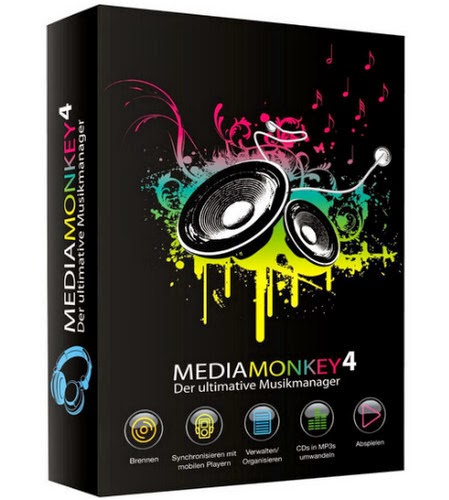
MediaMonkey Gold 4.1.6.1733 RC2 With Keygen

 
CDs, OGG, WMA, MPC, FLAC, APE, WAV and MP3 audio files ေတြကိုအေကာင္းဆံုးတည္းျဖတ္
ေပးႏိုင္တဲ့ MediaMonkey GOLD ေလးကိုတင္ေပးလိုက္ပါတယ္။ဒါ့အျပင္ CD ripper, CD/DVD Burner, and audio converter တို႔လဲပါ၀င္ပါတယ္။အသံေတြကိုအေကာင္းဆံုးတည္းျဖတ္ေပးႏိုင္ပါတယ္။
Full ျဖစ္ေစဖို႔အတြက္ Serial ကီးေလးပါထည့္ေပးထားပါတယ္၊၊ေအာက္မွာဖတ္ၾကည့္လိုက္ပါ

 MediaMonkey is a music manager and media jukebox for serious music collectors and iPod users. It catalogs your CDs, OGG, WMA, MPC, FLAC, APE, WAV and MP3 audio files. It looks up missing Album Art and track information via Freedb and the web, and includes an intelligent tag editor and an automated file and directory renamer to organize your music library.

Gold FEATURES:

  •  Find music with advanced search functionality that digs through your collection to find tracks according to almost any criteria that you can think of. Search for Composer, Year, Beats per minute; find Lyrics, etc. and stop pulling your hair out trying to find music you know you have.
  • Customize your library by setting filters to display only Artists or Albums that match criteria that you set. For example, set a filter that causes Artists to appear in the tree only if they contain Albums that are currently available, and are of any genre other than ?Children?.
  • Encode unlimited MP3s without having to manually install a new MP3 encoder (the free version of MediaMonkey includes a time-limited LAME MP3 encoder. If you?re so inclined, you can manually replace it with the free LAME encoder, or you can just upgrade to MediaMonkey Gold).
  • Catalogue your physical CDs and use the Virtual CD feature to keep track of what CDs you own and at the same time see which subset of tracks from those CDs are copied to your hard drive. Instead of tracking your CDs and tracks separately, the virtual CD function gives you an integrated view..
  • Import and save audio tracks from Audio CDs and MP3 CDs with unprecedented flexibility using the Virtual CD. It allows you to sample tracks from various sources, select which ones you want to import, and then import and save the files in a single operation.
  • Create Previews, short samples of audio tracks, that you can use when trying to decide which audio files you want to add to your collection.
  • Use a Sleep Timer to play your music, gradually fade it over a set period of time, and then turn off your PC ? perfect for listening to tunes before you go to sleep.
  • Burn CDs at the maximum speed permitted by your hardware.
  •  
  •  
  •                                                
    http://www.solidfiles.com/d/aea185fbe7/M.Monkey_4.1.6.1733_RC.rar%28peinnegonethar%29.rar